Depth Texture is a grayscale texture buffer that stores the distance (depth value) of each pixel projected from the camera. Unity's Universal Render Pipeline (URP) allows access within shaders through a global property called _CameraDepthTexture.
Real world analogy: A ruler for a transparent floating ring floating in a pool.
Depth Texture can be compared to a ruler for measuring the sinking level of a transparent floating ring (translucent object) floating in the pool water (depth information).
- Conventional (no depth ruler): It is not possible to measure how deep the water is in the pool (depth of opaque ground). As a result, the ground surface where the bottom of the float (the border of the translucent effect) hits the bottom of the pool (the ground) looks sharp like a razor, giving it an extremely artificial and unnatural floating appearance (hard border).
- Solution with Depth Texture: Insert a ruler and measure the difference between the depth of the bottom of the pool and the depth at which the float itself is floating (water thickness). Near the boundary where this difference approaches zero, a process is performed to make the bottom of the float slightly transparent (soft particles). This ruler creates a beautiful blend that allows the float to blend naturally into the pool.
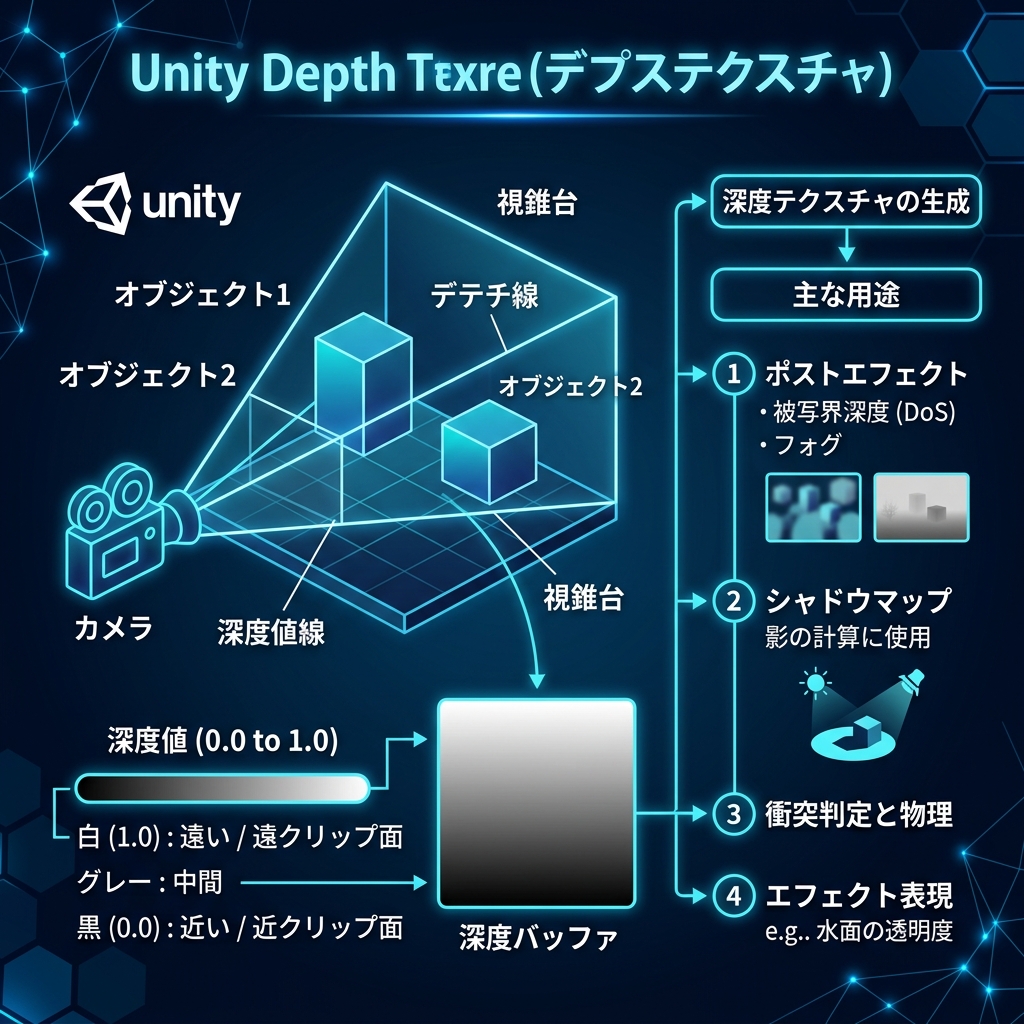
Figure: Infographic that calculates soft fade from the difference (Delta Depth) between opaque object depth value and translucent particle depth value
Use for soft particles and water surface blending
This texture is most effective in beautifully blurring the boundaries between translucent and opaque objects (soft particles and fade effects). For example, when particles are buried in the ground (opaque mesh), sharp boundaries will appear if you draw them as is. To prevent this, the shader calculates the difference (Delta Depth) between the "depth value of the ground" and the "depth value of the particle itself", and the closer the difference gets, the lower the transparency (Alpha) of the particle becomes, so that the boundary blends in more softly.