The solution to the problem that the overlapping order (sort order) of translucent particles is incorrect is a serious technical bug that frequently occurs during actual device tests and rendering pipeline extensions. Explanation of the solution to a bug where the front and back of translucent smoke and flame effects change around every time you change the camera angle, causing the appearance to change.
Specific symptoms of the problem
In a scene where multiple particles (Shuriken Particle System or VFX Graph) overlap, just by slightly moving the camera angle, an effect that should be in the background suddenly appears in the foreground, or the context changes violently, as if it were crackling.
Real-world analogy: Kuroko is behind the scenes changing the order of stacking transparent cel images every frame, changing the pattern
For translucent, it is necessary to "paint in layers sequentially from the back," but since the distance between the center points of the two cels (effects) is almost the same, every time the camera moves a little, the judgment of "which is in the back" changes rapidly, and the order is reversed, with the front being painted in the back and the back being painted in the front. By writing the order of priority (Sorting Fudge) on the back of the cel with a permanent marker, you can completely eliminate any hesitation.
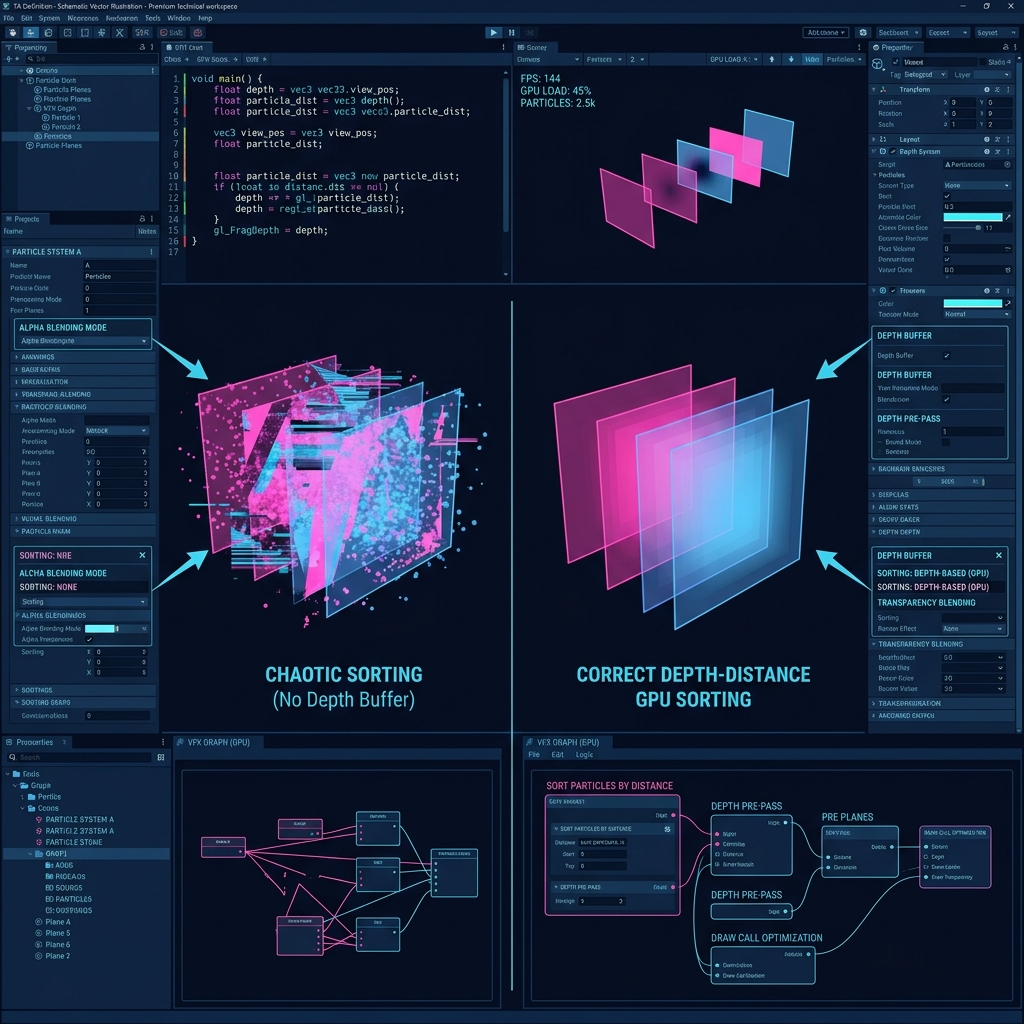
Figure: Overview of the problem occurrence mechanism and solution approach for how to solve the problem where the overlapping order (sort order) of translucent particles is incorrect
Assumed causes and detailed mechanism
Transparent objects (Transparent) are not automatically occluded by the Z buffer, so they are sorted based on their "physical distance" from the camera and drawn one on top of the other in order from the farthest away. However, if the distance between the pivots (center points) of the objects is very close, the sorting order (drawing order) will be reversed with a slight change in the camera angle.
Solution approach and optimization procedure
Open the Renderer module of the particle system and manually adjust the value of "Sorting Fudge" to force the context. Also, for materials for which overlapping is particularly important, directly rewrite the "Render Queue" value individually to firmly fix the drawing priority.