Prewarm is one of the settings in Unity's particle system (Shuriken), and is a pre-simulation function that causes the effect to appear in a "full state as if it had been playing for several seconds" in the first frame when it occurs.
Real-world analogy: A production that makes a theater ``full'' before the performance begins
The mechanism of Prewarm can be compared to ``a production that makes the audience seats ``full'' (full of particles) before the curtain of a theater goes up (before the effect appears)''.
- Conventional (without Prewarm): At the moment the theater curtain opens (effect appears), there is no one in the audience seats. From there, the audience (particles) walk one by one through the entrance (source) and fill the seats. Before the entire theater becomes lively (full effect), there is an unnatural blank time of several minutes (several seconds).
- With Prewarm: When the theater goes dark before the curtain opens (before it is activated), the staff will fast-forward one lifetime to fill the seats with audience members in advance. The moment the curtain rises in the first frame, the entire audience is already present, allowing the play to start with the climax of excitement right from the beginning.
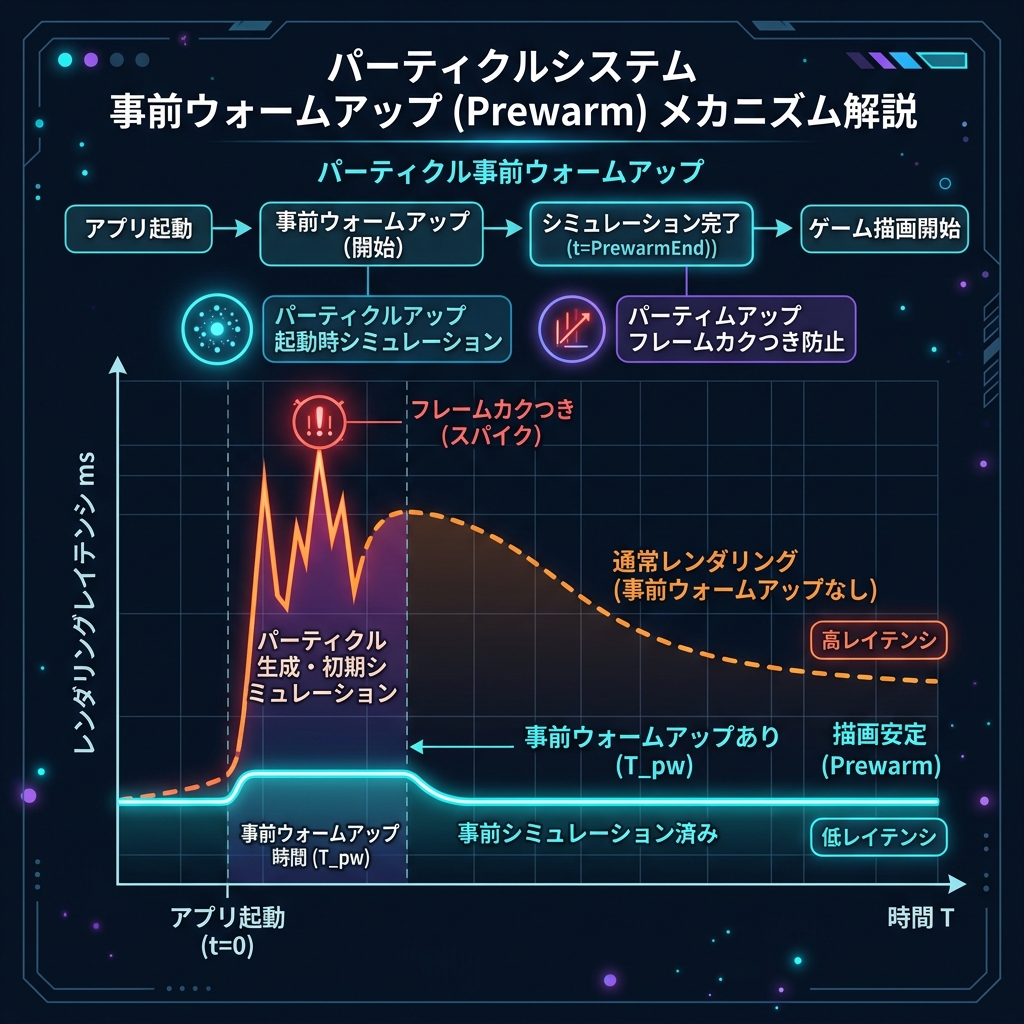
Figure: Prewarm timeline image that executes the precomputed region before time zero and fills the effect from the beginning
How it works and how it works
Prewarm-enabled particles can be activated (I nstantiate or GameObject.SetActive), performs a high-speed simulation (frame-by-frame calculation) of the time corresponding to the maximum lifetime of the particle specified inside the CPU in an internal loop. This instantaneously places the finished effect on the screen from scratch, distributed throughout the space.