The countermeasure for the phenomenon in which the peripheral image quality deteriorates drastically in Meta Quest's FFR (Fixed Foveated Rendering) is a serious technical bug that frequently occurs during actual device testing and rendering pipeline expansion. Explanation of the solution to a graphic bug in VR devices such as Quest that causes pixels at the periphery (four corners) of the field of view to become abnormally rough and crumble into a mosaic pattern.
Specific symptoms of the problem
When starting a VR app on Meta Quest 2 or Quest 3, although the center of the lens has very beautiful graphics, the pixels in the field of view at the edge of the lens (the edge of the field of view) become extremely large dots (jaggies) that look like they have been mosaiced, and whenever you move the field of view from side to side, the noise at the edges flickers, which is very unpleasant.
Real-world analogy: I tried to save money by changing only the glass around the edges of my glasses to "fogged bathroom glass (ultra low resolution)", but as a result, the edges of my field of vision were full of frosted glass, making me dizzy and getting dizzy
The center of the lens (focus), which the human eye looks at most often, is drawn at the highest image quality (100%), and the squares around the four corners (FFR area), which were thought to be invisible at the edges of the field of view, were made as huge as possible (mosaic-like), and as a result, the roughness of their borders is completely visible to the player. By changing the level of slack (FFR level) to ``a well-balanced moderate slack (Medium)'', we can completely eliminate the discomfort while achieving maximum lightness.
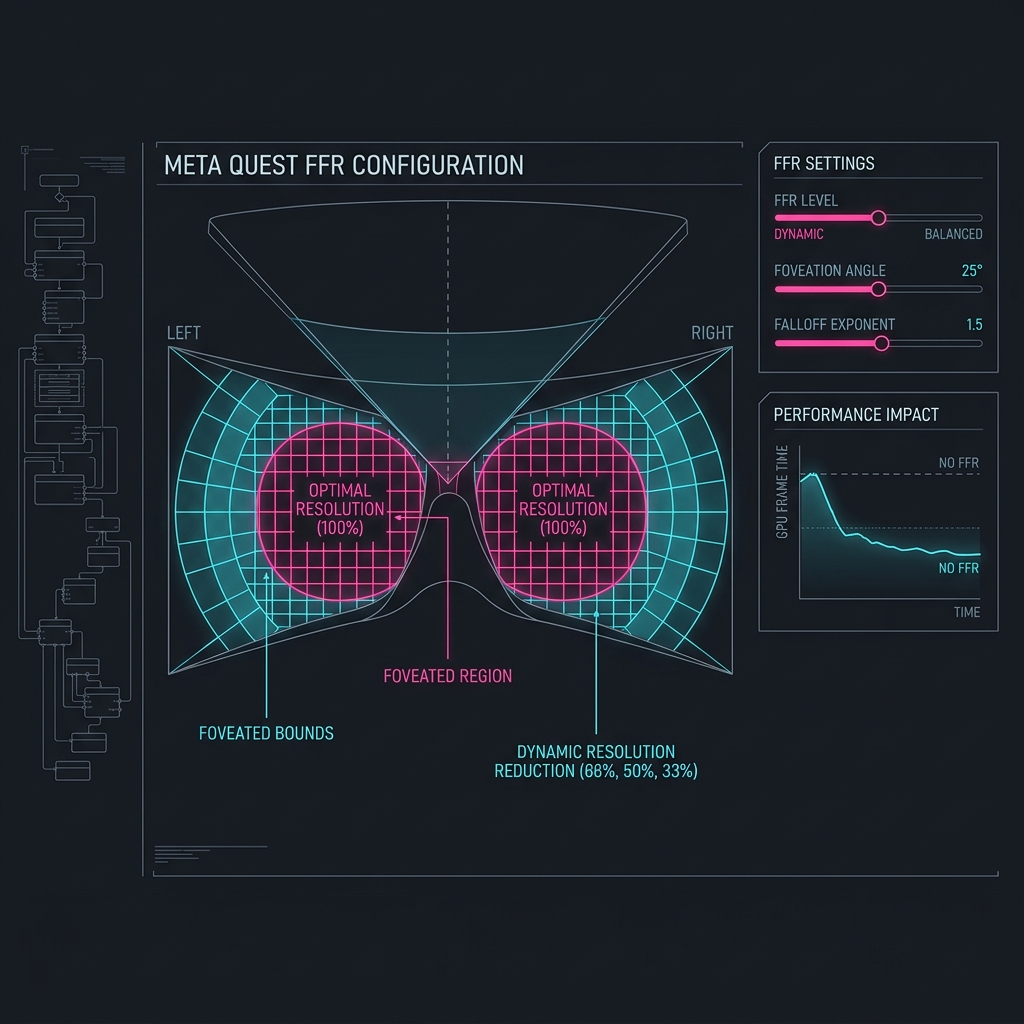
Figure: Overview of the defect occurrence mechanism and solution approach for the phenomenon in which peripheral image quality deteriorates drastically in Meta Quest's FFR (Fixed Foveated Rendering)
Assumed causes and detailed mechanism
This is because the fixed foveated rendering (FFR) strength (Level) is set to excessive values such as "High" or "High Top", and the shading resolution around the lens, which the human eye is not supposed to look at, is drastically reduced (to 1/16, etc.), leaving a huge pixel grid exposed.
Solution approach and optimization procedure
Lower "Foveated Rendering Level" in the XR settings script (OVRManager, etc.) to "Medium" or "Low" to mildly suppress extreme mosaicing in the peripheral area. We also tweaked the level design to avoid having high-contrast, sharp-edged textures in the periphery.