These are the steps to properly control the "Stencil Buffer" (Stencil Buffer), which is essential when creating 2D/3D cutouts and portals (3D models that can only be seen on the other side of the gate).
Specific solution
1. Setting up Universal Renderer Data
Open the Universal Renderer Data asset you are currently using.
2. Add Render Objects Feature
Select Add Renderer Feature ➔ Render Objects at the bottom to add it.
3. Synchronize the stencil mask
Expand the added Feature, select the layer to which the object you want to mask belongs in Filters ➔ Layer Mask, enable the **`Stencil`** checkbox at the bottom, and set the following parameters.
- Value: An integer that matches the material side (e.g. `1`)
- Compare Function: `Equal` (or mask target setting)
- Pass: `Keep`
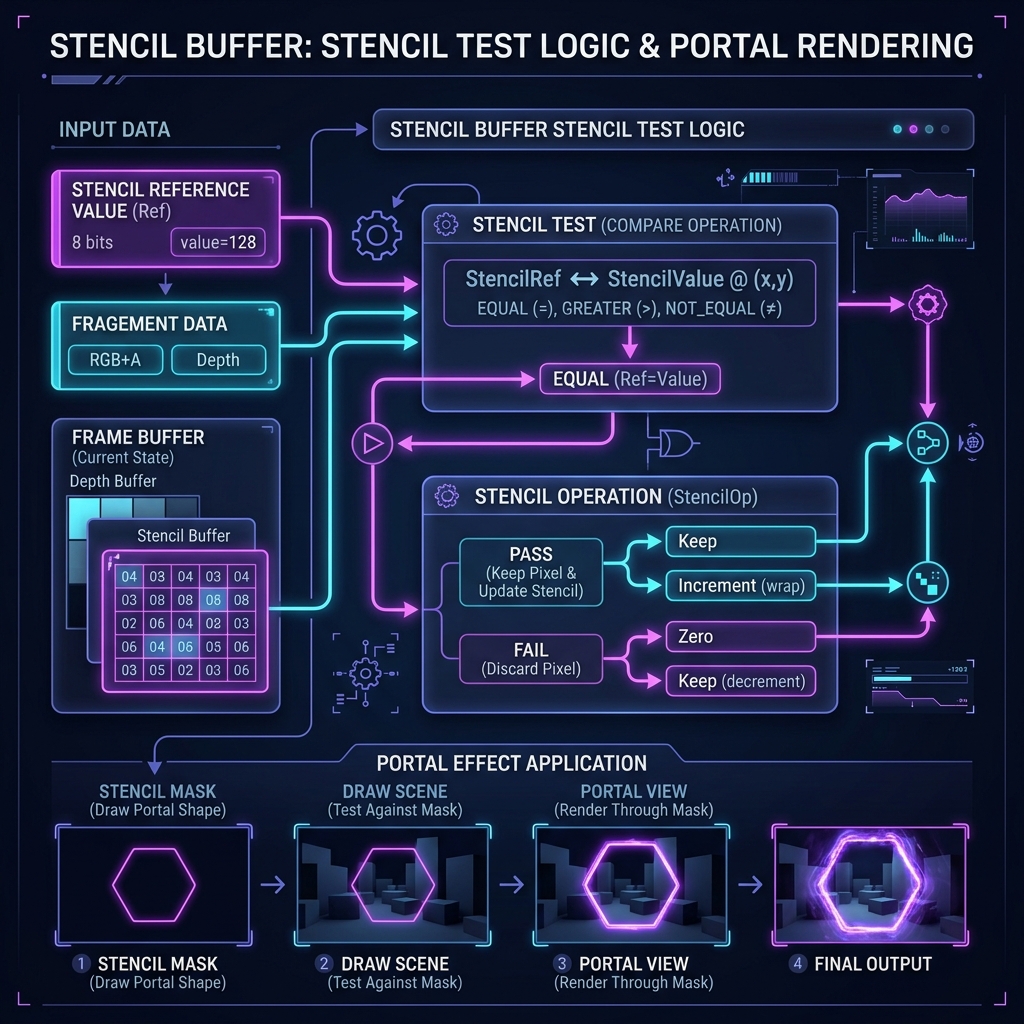
Figure 1: Mechanism for permitting and discarding drawing by stencil comparison processing (comparison and judgment of Ref value and buffer value)