How to fix the "tunneling bug" where an object moving at extremely high speed passes through a wall is a serious technical bug that frequently occurs during actual machine testing and rendering pipeline expansion. Explanation of the solution to the problem where a gun bullet or a car running at high speed passes through a collision detection wall (collider) and disappears on the other side.
Specific symptoms of the problem
When shooting a bow and arrow, a bullet from a gun, or an obstacle that moves at high speed in the game, it should hit a solid wall (collider) and stop with sparks, but instead it passes through the wall as if nothing happened and goes to the other side and disappears.
Real-world analogy: A frame-by-frame slippage in which a ball warps through the wall and jumps between the frames of a flipbook
The physics engine checks the position one by one by dots (frames), saying, ``Now the ball is here, next time it is here'' like a flip book. The ball was so fast that it instantly moved from the first page (in front of the wall) to the next page (behind the wall), so there was no frame at which it overlapped with the wall, and it slipped through. By connecting the trajectories as a "line (laser beam)" and continuously scanning (CCD) from past frames to see if the line intersects with the wall board, collisions are reliably detected, no matter how fast.
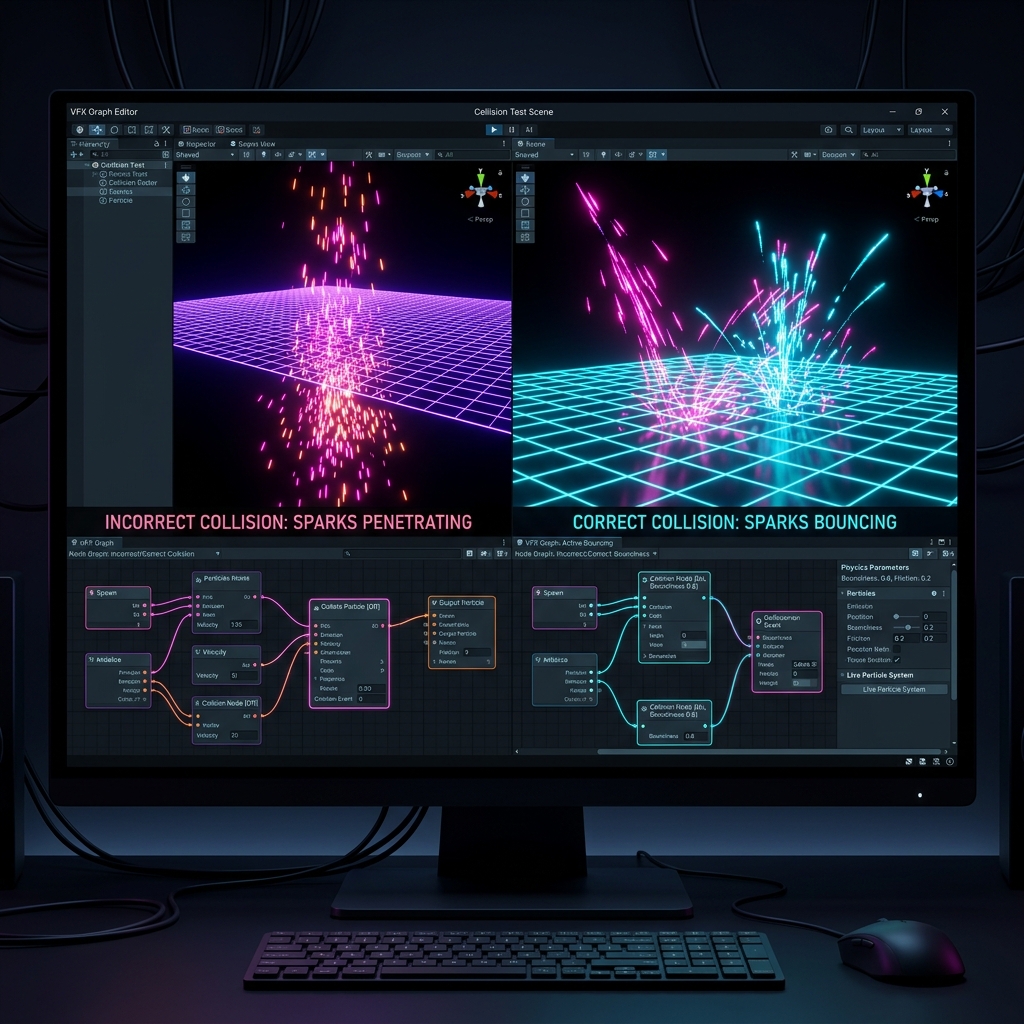
Figure: Overview of the defect occurrence mechanism and solution approach for fixing the "tunneling bug" in which objects moving at extremely high speed pass through walls
Assumed causes and detailed mechanism
Unity's physics calculation (PhysX) is set to "Discrete collision detection (Discrete)" by default, and the distance the object moves during one frame jumps far exceeding the "wall thickness", so the physics engine cannot detect collisions between frames (tunneling phenomenon).
Solution approach and optimization procedure
Open the Rigidbody component of the fast-moving object and switch the collision detection mode (Collision Detection) from "Discrete" to "Continuous (CCD)" or "Continuous Dynamic." This allows us to connect frames as physical "lines" and precisely scan for collisions.