Start by deciding what should move
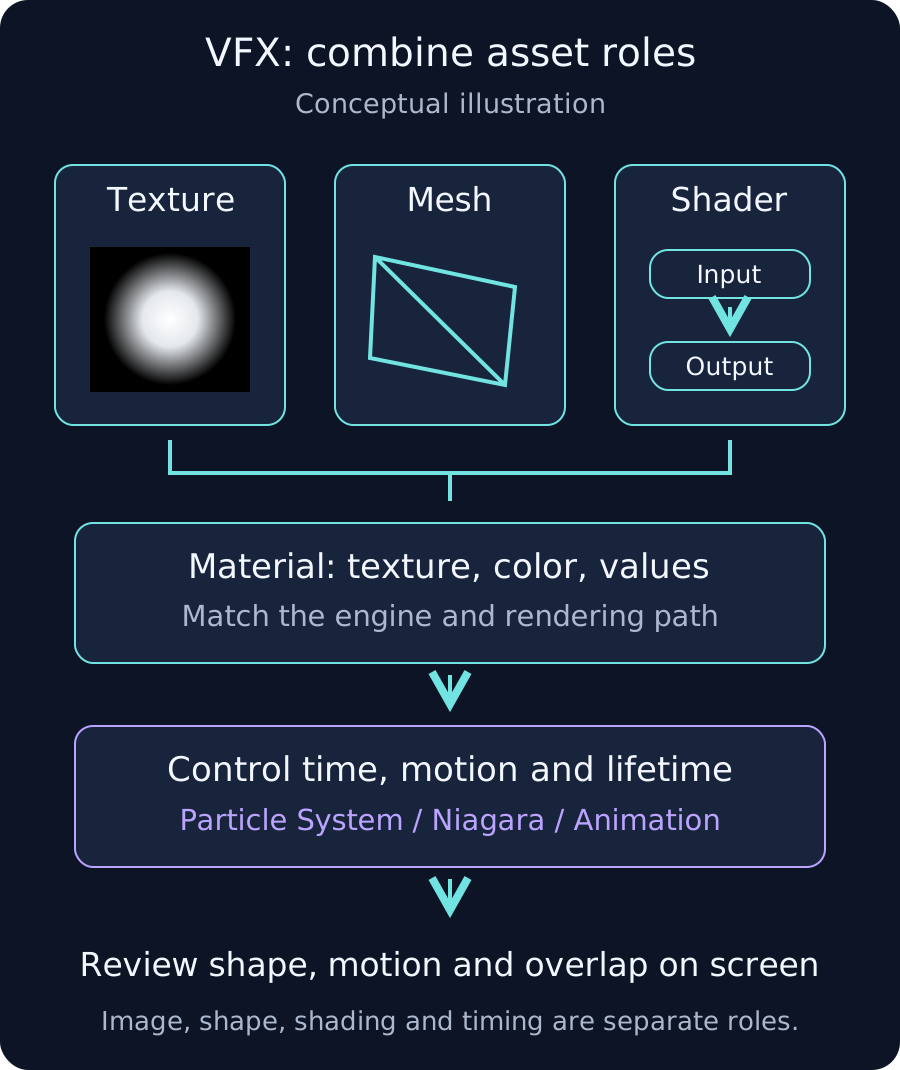
An expanding ring of light can start with three assets. A texture is the picture of the ring. A mesh is the flat surface or ring-shaped model that carries it. A shader calculates how that picture becomes color and transparency; a material supplies the image and values used in those calculations. Particle System, Niagara or animation then changes its size, position and lifetime.

Learn the asset roles
- VFX textures: masks, noise, flipbooks and color
- VFX meshes: choosing planes, rings, cones, strips and UVs
- VFX shaders and materials: combine patterns, color, opacity and motion

Design the elemental identity
First decide what shape appears, where it moves and how it disappears. Flames can stretch upward; spray can rise and fall. The comparison guide shows shape and movement choices for fire, water, ice, lightning, wind, earth/rock, light and darkness.
Choose a tool workflow
- Make VFX textures in Photoshop: grayscale masks, transparent PNGs and tiling
- Create VFX image sequences in After Effects: looping noise and flipbooks
- Build a VFX ring mesh in Blender: geometry, UVs, pivot and FBX export
- Make a VFX material in Unreal Engine: mask, tint and UV scrolling
- Make a Unity Shader Graph VFX material: R mask, tint, alpha and UV scrolling
Keep these notes with your assets
- Images: document channel meaning, color/data interpretation, tiling direction and frame order.
- Meshes: document scale, pivot, face direction, UV direction and any required vertex colors.
- Shaders: document the engine/pipeline and texture, color, intensity and opacity inputs.
- Review against dark and bright backgrounds, at small screen sizes, in motion and on target hardware.
The minimal effect used here
Start with a grayscale mask image, a plane or ring mesh, and a transparent Unlit material. The mask defines visible areas: white shows, black hides and gray creates partial transparency. Its R component controls opacity and the material adds color. Unlit displays that color without directional-light shading. The tool guides separately explain animating image frames and moving UVs, the coordinates used to place the image.